Remote control
Send prompts, stream progress, inspect output, and approve Codex actions from iPhone.
 Code Remote
for Codex
Code Remote
for Codex
Control Codex on your Mac from your iPhone. Send prompts, stream output, approve actions, and keep long-running work moving from anywhere.
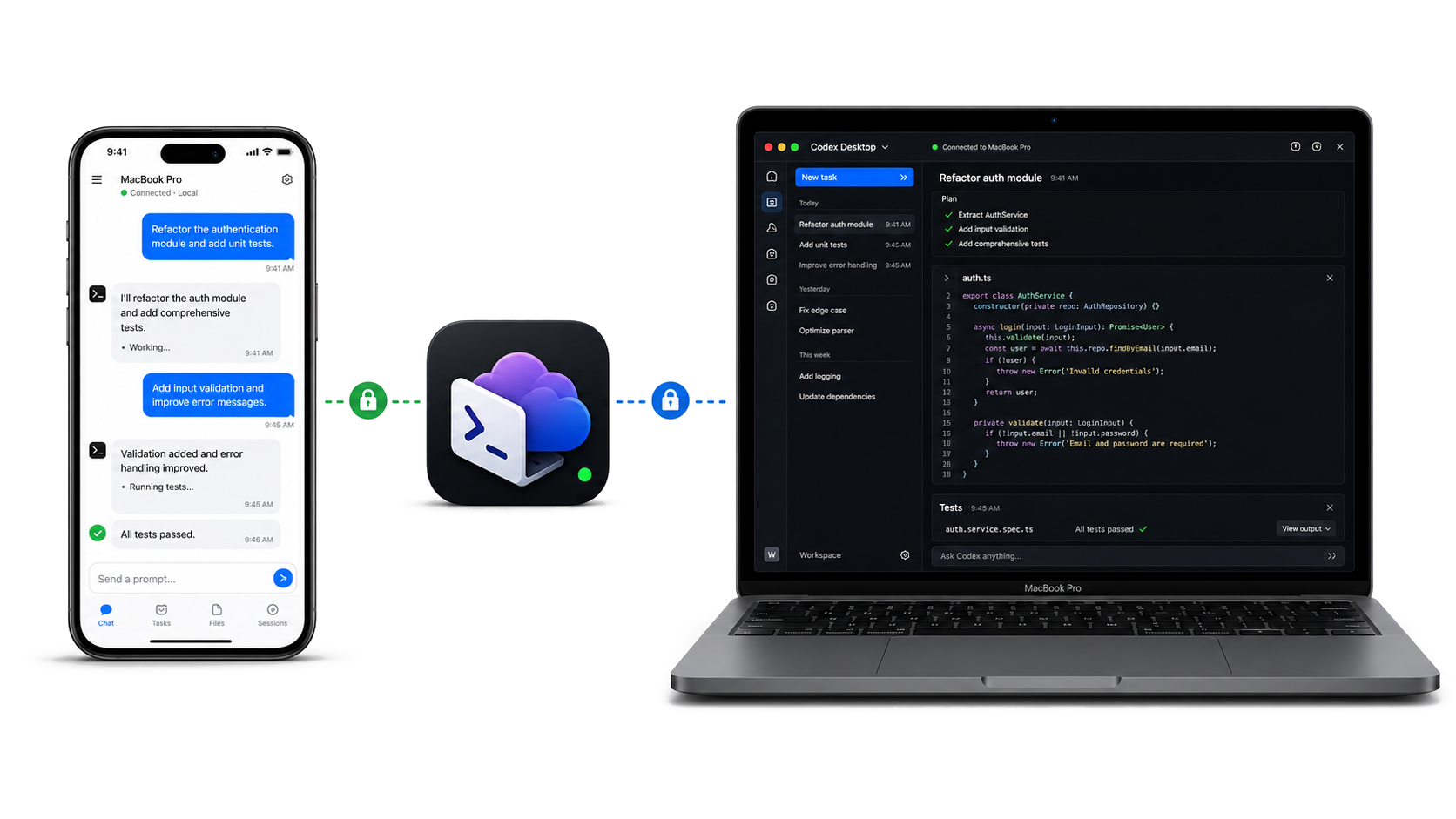
The Mac Bridge connects the iOS app to your own Mac, mirrors Desktop context, and gives you a compact control surface for real development sessions.
Send prompts, stream progress, inspect output, and approve Codex actions from iPhone.
Sync Codex Desktop projects and conversations, then resume an existing thread from the phone.
Pair locally with a short-lived code, then use saved device identity and bearer-token authorization.
Use automatic mode to prefer local LAN and fall back to a per-device Cloudflare Tunnel when away.
On the same network, the app discovers your Mac through Bonjour. Away from home, it reaches the Bridge through an outbound-only HTTPS tunnel.
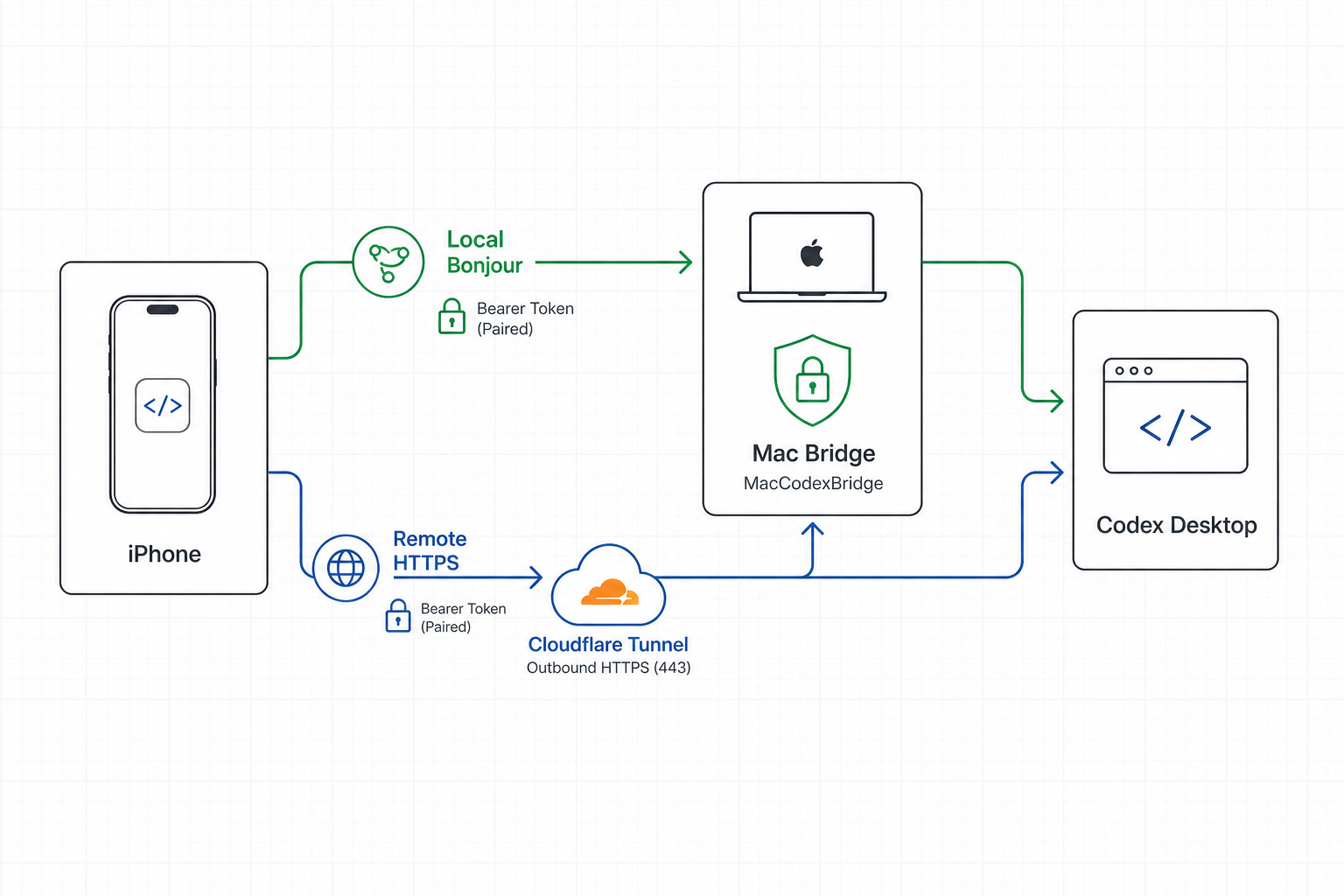
Code Remote is shaped around a simple boundary: the phone talks to the Bridge running on your own Mac, while the control plane only needs routing state.
First-time pairing uses a 6-digit code shown on the Mac. The code expires after five minutes and is not accepted through proxy forwarding.
Automatic LAN switching is restricted to the paired device ID, so the app will not silently adopt another Mac on the same network.
The Bridge keeps Desktop and mobile actions in one shared Codex session stream.
Install the Mac Bridge, pair once on your LAN, then keep Codex running while you move.
Download the PKG and use the normal macOS installer on the Mac that runs Codex.
Open the app on the same LAN, choose the discovered Mac, and enter the pairing code.
Send a prompt from iPhone. Codex runs on your Mac and streams progress back to you.
Get the Mac Bridge for the Mac that runs Codex, then install the iOS app from the App Store and pair your devices.
Install the Bridge on the Mac where Codex runs.
Install Code Remote from the App Store.